
I started shooting film in 2023. Mostly Tri-X, mostly on a Leica MP, sometimes on a Hasselblad 500C, and now and then 4x5. I used to shoot a lot of street photography. These days it's mostly my kids.
The part after the photo
Shooting film is the fun part. Getting it onto the computer wasn't.
I've used lab processing and scanning. The JPEGs didn't give me the room to edit that I wanted, and TIFFs cost way too much: a roll of 36 as TIFFs is crazy expensive.
So I scanned my own with a Nikon Z 9: photograph each negative, convert the files in Lightroom with a plugin, export them, then edit in Capture One. My 4x5 sheets went through an Epson flatbed and its own scanning software. Keeping Lightroom and Capture One in step was hard, and Lightroom on more than one computer was always a problem.
It worked. It was just a lot of steps between a roll of film and a photo I could share.
Something to give back
I wanted a fun project, and I wanted to give something back to the film community. Film is expensive, and I didn't want people to pay more on top of that just to get a decent workflow.
So EmulLab is free. Not a trial, and no subscription.
Easy, start to finish
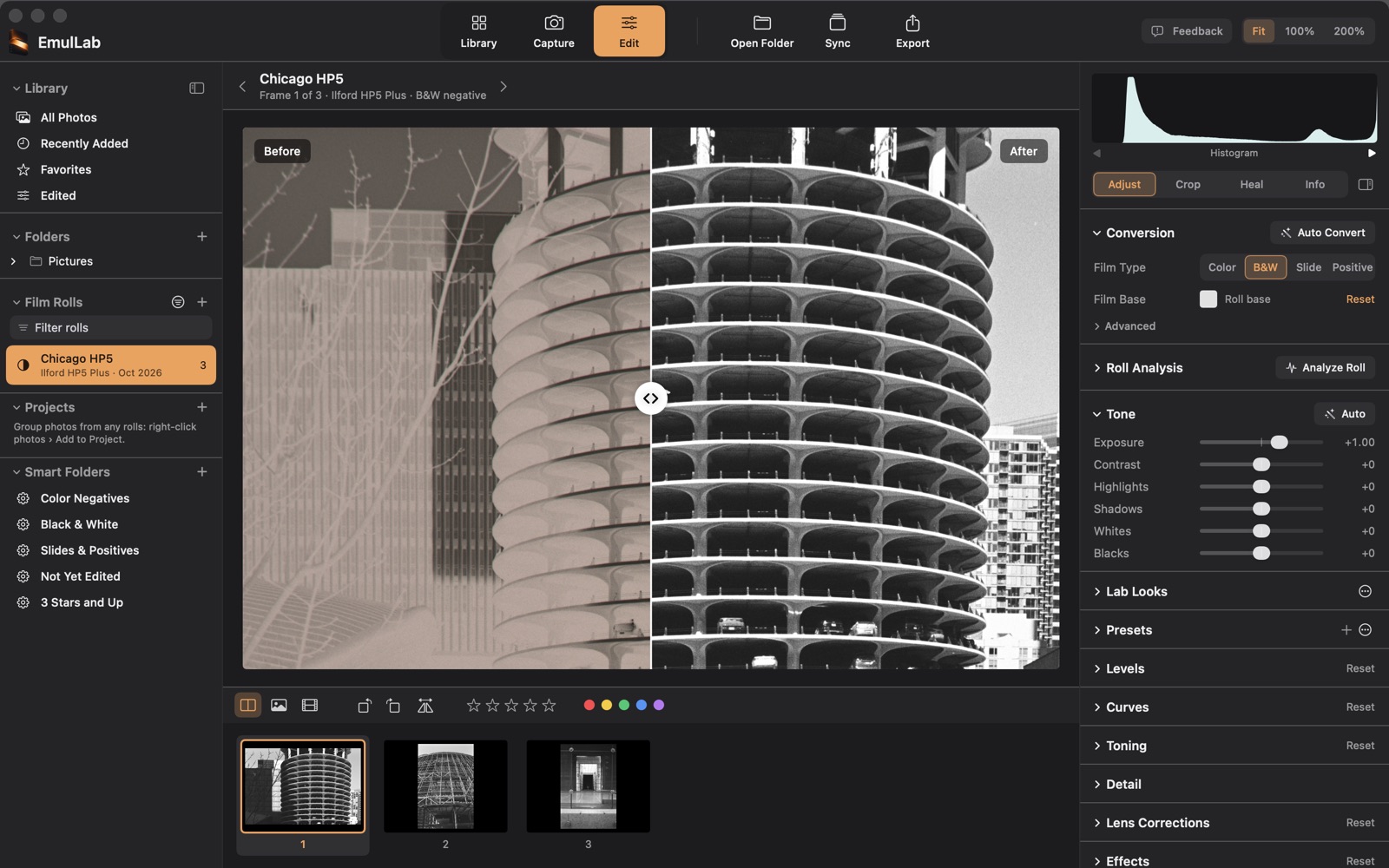
What I wanted most was ease. Load it up, take your scans, get accurate color, export, done. In EmulLab that's one app:
- Capture: photograph your negatives with your camera, tethered (tested with the Nikon Z 9) or from a watched folder.
- Convert: color negatives, black and white and slides, balanced off the film border, with the picture cropped out of the border for you.
- Edit: tone and color, and healing dust, hairs and scratches.
- Organize and export: ratings, tags and projects, then a whole roll out as JPEG or TIFF.
Yours, on your computer
Everything is a subscription now, and everything wants an account and the cloud. I didn't want to add one more. EmulLab runs on your own computer. There's no account, your scans stay on your machine, and your original files are never changed.
Whether you want to get your photos out into the world, or you're digitizing your family's photos, it should be fast and easy, and it shouldn't cost you anything.
It's a beta
This is the first public version, so some things will be rough. If something doesn't work, or doesn't make sense, tell me: Help › Send Feedback in the app, or support@emullab.com. It comes straight to me.
Thanks for trying it.
Frank